
To claim Aniimo launch rewards, use the account you pre-registered with, create your intended character, then check in-game events and mail. Some rewards require multiple login days or progression. Pre-registration rewards and redeem-code promotions have separate claim routes; use the codes tracker for the current code status.
PC and consoles launch on September 16, 2026 globally, or September 15 evening in the Americas. Mobile follows on September 23. Check your local release time and the launch countdown before planning your first login.
Pre-register through the official Aniimo website with the email you intend to use in the game. When your platform opens, use that same login, create the character that should receive account-bound rewards, then check the in-game event pages and mail.
- PC and console launch
- September 16, 2026
- Mobile launch
- September 23, 2026
- Milestone tiers unlocked
- 4 of 4
- Public redeem codes
- Check the live tracker
Every confirmed free launch reward
The official launch campaign names seven general reward routes. A separate profile-card background and sealed beta egg apply only to players who completed their earlier events.
| Reward | Who qualifies | How it is claimed |
|---|---|---|
| Mysterious Susuta egg | Official website pre-registration | Log in at launch with the pre-registered account |
| Glimmer ×200 | 10 million milestone, unlocked | Log in for milestone rewards |
| Aniipod Ultra ×2 | 15 million milestone, unlocked | Log in for milestone rewards |
| "Companion Promise" Limited Avatar Frame | 20 million milestone, unlocked | Log in for milestone rewards |
| "Sunlit Meadow" Limited Outfit | 30 million milestone, unlocked | Log in for milestone rewards |
| Random Perfect Egg | Multi-day login requirement | Complete the required launch check-ins |
| Rare Prismana Form Aniimo choice | Reach Junior Wayfarer | Select the reward after the rank unlock |
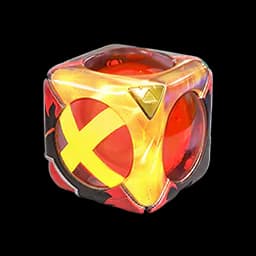
| Sparkling Cube, Aniipod Ultra and Tumbler | Global Launch event participation | Complete the named launch-event tasks |
| Aniimo accessories | Catch and collect Aniimo | Unlock the related Aniilog entries and claim the accessory |
| Four free outfits | Story quests, Homeland features and cumulative check-ins | Complete each in-game requirement |




Pre-registration milestone tracker
Aniimo passed the final 30 million target on August 31. Every published milestone is unlocked, so there is no remaining community tier to chase.
| Milestone | Reward | Status |
|---|---|---|
| 10 million | Glimmer ×200 | Unlocked |
| 15 million | Aniipod Ultra ×2 | Unlocked |
| 20 million | "Companion Promise" Limited Avatar Frame | Unlocked |
| 30 million | "Sunlit Meadow" Limited Outfit | Unlocked |
The milestone count decides whether a tier exists. Your own eligibility still comes from pre-registering and then logging in on the account meant to receive the rewards.
How to claim the pre-registration rewards
Use one account path from registration through character creation. The official site accepts an email login for pre-registration, and Pawprint explicitly uses matching phone or email details to connect its web-event rewards to a launch character.
Create the recipient character carefully. The Time to Aniimo web event sends its profile-card background to the character created after the first matching login, and its rules allow 180 days after launch to create that character and receive the reward. A reward can also arrive after a delay, so refresh the mail and event pages before changing servers or making a second account.
Do not use a code for the Susuta egg or milestone bundle. The current campaign language tells eligible players to log in for those rewards and sends them to in-game events and announcements for the detailed task rules.
Claim path for PC, console and mobile
The reward pool is shared, but the client opens on two dates. Start through the correct platform, then keep the Aniimo login and server choice consistent.
| Platform | Opens | Claim path |
|---|---|---|
| Official PC launcher, Steam, Epic and Microsoft Store | September 16 | Sign in with the pre-registered Aniimo account, create the intended character, then check Events and Mail |
| PlayStation 5 | September 16 | Start through the PlayStation profile, use the matching Aniimo login when prompted, then claim on the intended character |
| Xbox Series X|S | September 16 | Start through the Xbox profile, use the matching Aniimo login when prompted, then claim on the intended character |
| App Store and Google Play | September 23 | Sign into the same Aniimo account and server used elsewhere instead of creating a second reward account |
Store wishlisting, preloading and buying a console edition are not substitutes for the official website registration. If the launch client asks you to choose between signing in and creating a new account, use sign in for the pre-registered account.
Login rewards and event carryovers
The random Perfect Egg is a cumulative login reward. Opening the game once is not enough. Enter the launch event, complete that day's check-in and return until the event marks the egg as claimable. The official campaign has not published the required day number, so follow the counter shown in the live client.
The Sparkling Cube, Aniipod Ultra and Tumbler come from Global Launch events, not from the four pre-registration milestones. The Prismana Form Aniimo choice is tied to reaching Junior Wayfarer, while accessories and the four additional outfits are tied to Aniilog collection, story quests, Homeland features and cumulative check-ins.
Two older event rewards have their own rules:
- Time to Aniimo profile-card background. Players who completed the Basic collection earned Meet in Idyll, while a completed Sparkling collection upgraded it to Sparkling Idyll. Use the same phone number or email from the web event and create the recipient character within 180 days of launch. The full event guide explains the two reward tiers.
- Sealed Aniimo Egg. Eligible Global Closed Beta participants must use the same game account and channel used during the test. The egg can be claimed in-game or through the corresponding official event page, then hatches after the matching Aniimo form is unlocked in the Aniilog.
Aniimo2026 rewards and redemption
Aniimo2026 is listed on the campaign reward cards for the following bundle:
| Reward | Quantity |
|---|---|
| "SUSUTA" Egg Special Prize | 1 |
| Aniipod Ultra | 2 |
| Glimmer | 200 |
The cards say Redeem after game launch. Seeing the reward or code before launch does not mean the items can already be delivered to a character. An in-game code-entry menu and platform-specific redemption steps are not yet confirmed.
The reported 20-Glimmer social-task reward is separate from this bundle. TikTok-follow and Discord-join offers have been reported as mutually exclusive; check the terms on your own event page and do not count both as an extra 40 Glimmer.
To claim the advertised reward:
- Open the Aniimo codes and rewards tracker and confirm that the code is listed as active.
- Read the platform and redemption route attached to that exact code. Do not assume a PC menu also exists on PlayStation, Xbox, iOS or Android.
- Use the official campaign’s redemption route after it opens; if it redirects to the game or another official Aniimo page, follow those instructions.
- Return to the correct character and check Mail after the redemption succeeds.
The codes tracker carries the code’s current status. No expiry date or completed in-game redemption has been verified for this bundle, so check the campaign terms before relying on a deadline or claim method.
If a launch reward is missing
First confirm the account, server, eligibility and claim location before contacting support.
| Check | What to verify |
|---|---|
| Account | The email or phone login matches the registration or event login exactly |
| Character | You are on the server and character chosen to receive the reward |
| Event | The task or cumulative login counter is complete and its Claim button was pressed |
| The mailbox has refreshed and has room for new attachments | |
| Date | The client has launched on your platform and the reward event is active |
Take screenshots of the registration confirmation, completed event page and character details before submitting a ticket. For what each item does after it arrives, use the Aniimo item database; for the opening progression that unlocks the Prismana choice and Aniilog claims, follow the beginner guide.