Aniimo opens on iOS and Android on September 23, 2026, one week after PC, PlayStation 5 and Xbox. Pawprint's own launch post is direct about the part that matters most: PC and mobile share the same data, so signing into mobile with the account you already play on continues the same character instead of starting over. This guide covers exactly how to do that, what your phone needs to run it well, every reward still waiting for you, and the issues to expect in the first few days.
- Mobile launch
- September 23, 2026
- Shares data with PC
- Yes
- Storage to keep free
- 25 GB
- Pre-registration tiers unlocked
- 4 of 4
- Server regions
- 3
When mobile opens, and how to preload
Mobile launches on September 23, 2026, exactly one week after the September 16 PC and console opening. Pawprint has not published a single global clock time for mobile the way it did for PC, which listed 10:00 UTC+8 (02:00 UTC) on every storefront ahead of the September 16 launch. Watch the same channels in the days before September 23: the aniimo.com news center, and the App Store and Google Play listings themselves, since that is exactly where the PC opening hour and pre-download notice appeared two days early.
Both mobile storefronts already carry the listing. Tap Pre-Order on the App Store (or Get, once it flips to available) and pre-register on Google Play, then check the listing again when downloads open. Google Play sends a launch notification; automatic installation depends on device eligibility and opting in. Pre-registration alone does not give early access or guarantee a preload. Use Wi-Fi for the initial download and the additional game assets.
For the PC and console launch-time breakdown by city, see the release time and time zones guide; mobile keeps its own separate date on that page too.
Device requirements and the settings that actually matter
The App Store lists Aniimo at 3.8 GB, iOS 15 or later, and a 9+ age rating for infrequent cartoon or fantasy violence, contests, messaging and chat, and user-generated content. Google Play lists it Everyone 10+ for fantasy violence, user interaction and in-game purchases. Those are the store eligibility bars, not the performance target Pawprint actually tested against.
| Platform | Minimum | Recommended |
|---|---|---|
| iOS | iPhone 12 Pro, iOS 16, 6 GB RAM | iPhone 14 Pro or newer |
| Android | Snapdragon 7 Gen 2 or Dimensity 9000, Android 10, 6 GB RAM | Snapdragon 8 Gen 2 or Dimensity 9200, 8 GB RAM |
| Both | 25 GB free storage | Same, plus headroom for updates |
The 3.8 GB App Store package is only the initial download. Keep the full 25 GB free since the client fetches more assets after install. If your phone falls short of the recommended tier, Aniimo also streams through GeForce NOW's mobile app or browser client, which runs the PC version on NVIDIA's hardware behind its own paid membership rather than your phone meeting the spec itself.
- Aniimo: 60 Lumin Crystals
- $0.99
- Aniimo: 300 Lumin Crystals
- $4.99
- Aniimo: Monthly Pass
- $4.99
- Aniimo: 980 Lumin Crystals
- $14.99
Start a minimum-tier phone at 30 FPS and medium graphics for the first half-hour session, then raise settings only once that session stays cool. For the full battery, heat and mobile-data testing method, see mobile devices, performance and emulators.
Continue your PC or console account on mobile
Do this in order, and stop at any step that does not match.
- 1Link an email to your PC or console account first
Steam, Epic, PlayStation and Xbox logins do not exist on the phone app, so a shared email is what keeps both installs on the same account. In-game, go to Settings > Account, or on the login screen go to Account Center > Account Management > Email, and link the address you plan to use everywhere.
- 2Install the correct mobile client
Download Aniimo from the App Store on iOS or Google Play on Android only. Do not sideload an APK from anywhere else to work around a compatibility result.
- 3Choose Sign In, never Create Account or Guest
The first screen offers a way in with an email or a platform login. Pick Sign In and enter the exact email and verification code your PC or console account already uses.
- 4Match your server region
If asked to pick a region, choose the same one your PC or console character already plays on: Aniimo-America, Aniimo-Europe or Aniimo-Apac. A different region starts a separate character with no transfer back.
- 5Confirm before you touch anything
Your existing character name, level, roster and currency balances should all appear. If the game opens character creation instead, stop before making a second character.
First-time players starting fresh on mobile should skip the steps above and follow the beginner guide instead.
What carries over, and what does not
| Progress or item | What happens at mobile launch |
|---|---|
| Character, roster, Homeland and currency | Carries automatically once you sign in with the same account email |
| Closed beta test progress (any phase) | Does not carry over. Pawprint wiped test servers and states test data will not be retained |
| Beta sealed Aniimo egg (the Bonded Promise event, called Bond Pact before launch) | Carries, but only through its own claim page, not automatically in your mailbox |
| Beta test-exclusive item rewards | Same claim page, a separate section from the sealed egg |
| Xbox Play Anywhere or PlayStation pre-order pack items | Tied to the storefront that sold them; confirm on the intended account and server before assuming they follow to mobile |
| Cross-platform login reward | A new reward for logging in on both PC and mobile, not a carryover of anything you already had |
For the full platform-by-platform breakdown, including how store-specific entitlements travel between PC, PlayStation, Xbox and mobile, see the accounts, servers and crossplay guide.
Claim every mobile launch reward

Free rewards for logging in
| Reward | How to claim |
|---|---|
| A choice of Prismana Form Aniimo | Reach Grade I Wayfarer |
| Aniimo Accessories | Catch Aniimo and hit the Aniilog milestones tied to them |
| Sparkling Cube, Aniipod Ultra and Tumbler | Join the launch-version activities and events |
| Random Perfect Egg | Build up your total login days |
| Four free outfits | Play through the story, take part in Home activities and keep signing in |



Pre-registration and cross-platform rewards
Global pre-registrations passed 30 million, so every player who logs in at launch receives all four milestone tiers: Glimmer ×200, Aniipod Ultra ×2, a limited Avatar Frame and the Sunlit Meadow outfit. The Mysterious Susuta Egg is separate and narrower: it goes only to accounts that pre-registered on the official website before launch. Logging in on both PC and mobile also pays Glimmer and other items through a dedicated cross-platform reward.


The Aniimo Together web event runs through September 27 (UTC+8): a full six-member squad earns Aniipod Ultra ×1 each, plus up to seven Adventure Supplies items for cumulative logins. Twitch Drops are also running for linking a Twitch account and watching participating streams; see the Twitch Drops guide for the reward list and window.
Beta tester rewards and the Bonded Promise
Beta rewards and the sealed egg from the Bonded Promise event live at the official Check Test Rewards page, split into two sections: Claim Test Rewards for general test-exclusive items, and Bonded Promise for the Aniimo you sealed during a Closed Beta. Sign in with the exact account you tested on to see both.
| Your situation | What to do |
|---|---|
| You still have the exact email you used for testing | Sign in with that email (request a verification code, not a third-party login) on the website, PC client or mobile app |
| You switched to a third-party login and have not made a character yet | Go to Login Screen > Account Center > Account Management > Email and link the test email before creating anyone |
| You already made a character and can accept losing it | In-game go to Settings > Account, link an unrelated email in the Mailbox section, unlink the third-party account, then log out and back in with the test email |
| You already made a character and cannot lose it | Contact in-game Customer Support directly rather than attempting the relink above |
| You tested through Steam | Contact in-game Customer Support directly; the Steam beta client could not share data with the other test clients |
| You are signing in through a third-party login for the first time (mobile, PC or the website) | Link your email on the first-login screen when it appears. It only appears once. Skip it, and only Customer Support can add it later |
You can only hatch a sealed egg after unlocking that Aniimo's exact form in the Aniilog, and it stays account-bound once it hatches. For the wider reward checklist and code status, see launch rewards and pre-registration, mobile launch rewards and the codes tracker.
Set up your touch controls
Start with the on-screen movement stick, camera drag and buttons for catching, Twining and combat. Use the opening tutorial to adjust camera sensitivity and get comfortable switching between exploration and a Twined Aniimo. Test movement, aiming and the catch action before entering a difficult fight; a layout that feels comfortable while walking may need a different sensitivity for combat.
Cross-play with friends on PC, PlayStation and Xbox
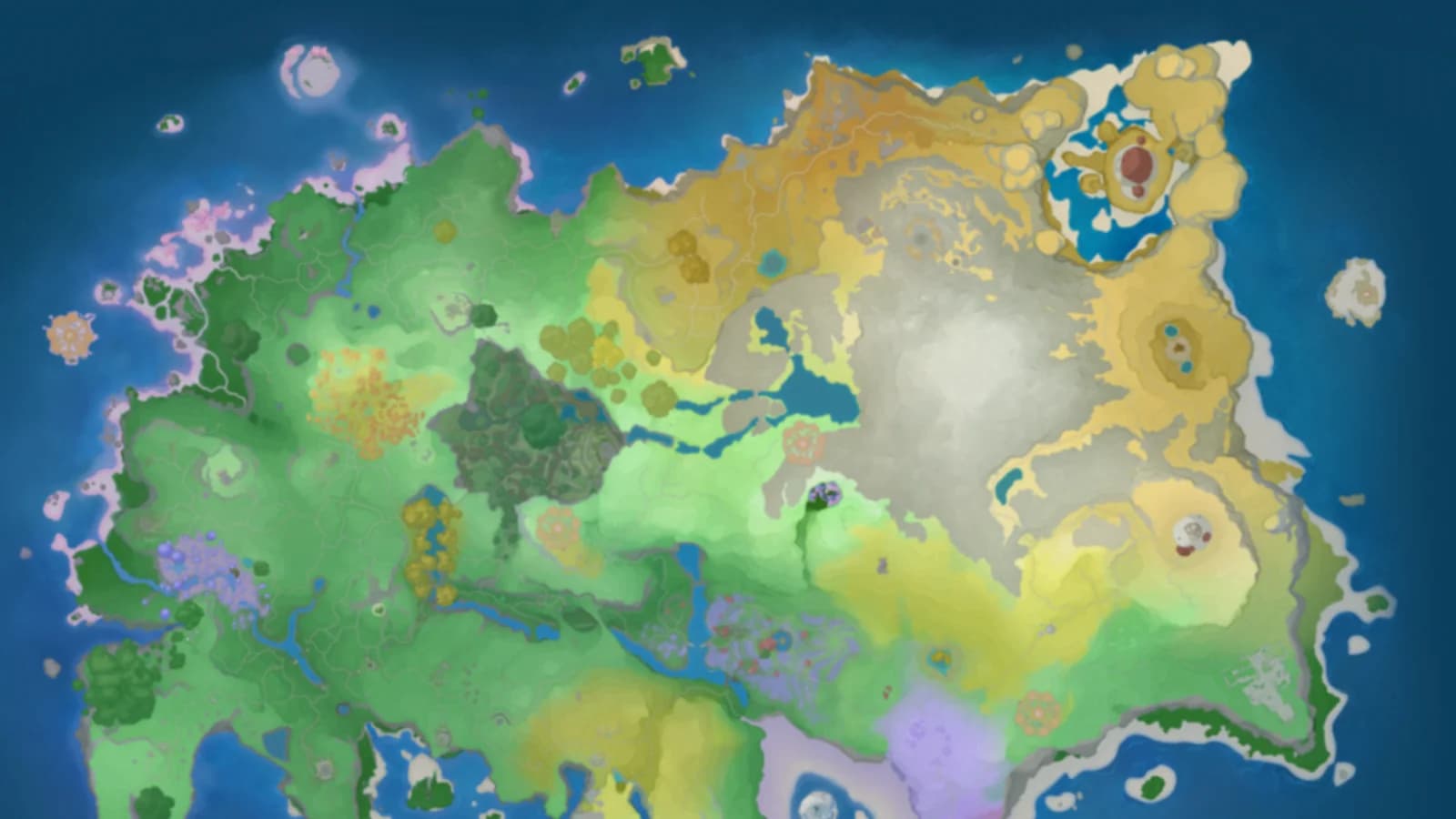
Aniimo runs three server regions: Aniimo-America, Aniimo-Europe and Aniimo-Apac. Mobile joins the same three regions PC and console already use, not a separate mobile-only pool. Create or sign into a character on the region where your friends already play, since invitations, matchmaking and friend search stop at the region boundary, and there is no confirmed way to move a character between regions once it exists.
For the full platform matrix, the Xbox Play Anywhere details and what to do if a PlayStation account auto-assigns a different region than your PC character, see the accounts, servers and crossplay guide.
Data and battery tips for launch week
Aniimo streams a large open world and keeps online systems active, so both data and battery take real load on a phone. Three habits cover most of the first week:
- Finish the initial download and every patch on Wi-Fi. The 3.8 GB App Store package is only a start; keep the full 25 GB free for what it fetches after install.
- Start at 30 FPS and medium graphics on a minimum-tier phone, and only raise settings once a half-hour session stays cool.
- Close background camera, navigation and video apps during combat-heavy stretches, and avoid charging while playing a long session on a phone that already runs warm.
For the measured battery-test method and a full MB-per-hour approach, see mobile devices, performance and emulators.
Known mobile launch issues to expect
Two account issues affected PC players during launch week. Keep these recovery steps handy when signing in on mobile, especially if the account shown differs from the one you already use.
- Lost progress, or a prompt to make a new character. Pawprint traced this to a data-sync error during a website account migration. Follow the danger callout earlier in this guide rather than continuing on a new character.
- "This email is already linked to another game." This is the same beta-account conflict the official Beta Test Rewards notice describes. Use the linking steps for your exact situation above instead of creating a new login to get past the error.
A purchase that never arrives is a separate, simpler check: open your inventory for an unactivated ticket item before assuming a Monthly Pass, Handbook or currency pack failed to deliver, then contact Support with the order details if nothing is there.
For every other message, from server-busy screens to invite timeouts, match the exact wording against the error codes and known issues guide.
Mobile launch-day checklist
Frequently asked questions
Does Aniimo mobile share my PC or console progress?
Yes. Pawprint's launch announcement states plainly that PC and mobile share the same data, so signing into mobile with the same account continues the same character, roster and Homeland instead of starting over.
What happens to my closed beta character on mobile?
Nothing carries over automatically. Closed beta test data was wiped. A sealed Aniimo from the Bonded Promise event and separate test-exclusive rewards are still claimable, but only through the Claim Test Rewards and Bonded Promise sections of the official test-reward page, signed in with the exact account you tested on.
How should I set up mobile controls?
Use the opening tutorial to test the movement stick, camera sensitivity, catching and Twining. Adjust the controls before a difficult fight, and start at 30 FPS if the phone gets warm during the first session.
Is there a mobile preload?
The App Store and Google Play listings already carry Aniimo with a September 23 release date. Pre-order or pre-register to receive the store’s launch notice, then check when the download becomes available. Google Play automatic installation depends on device eligibility and opting in; registration alone does not unlock an early download.
What if mobile creates a new character instead of continuing mine?
Stop before playing on it. This happened to a visible number of PC players during launch week from a backend account-sync error, not anything you did wrong. Note the account ID, email and server for both characters and contact in-game Customer Support rather than continuing on the new one.