

The fastest route from name to spawn
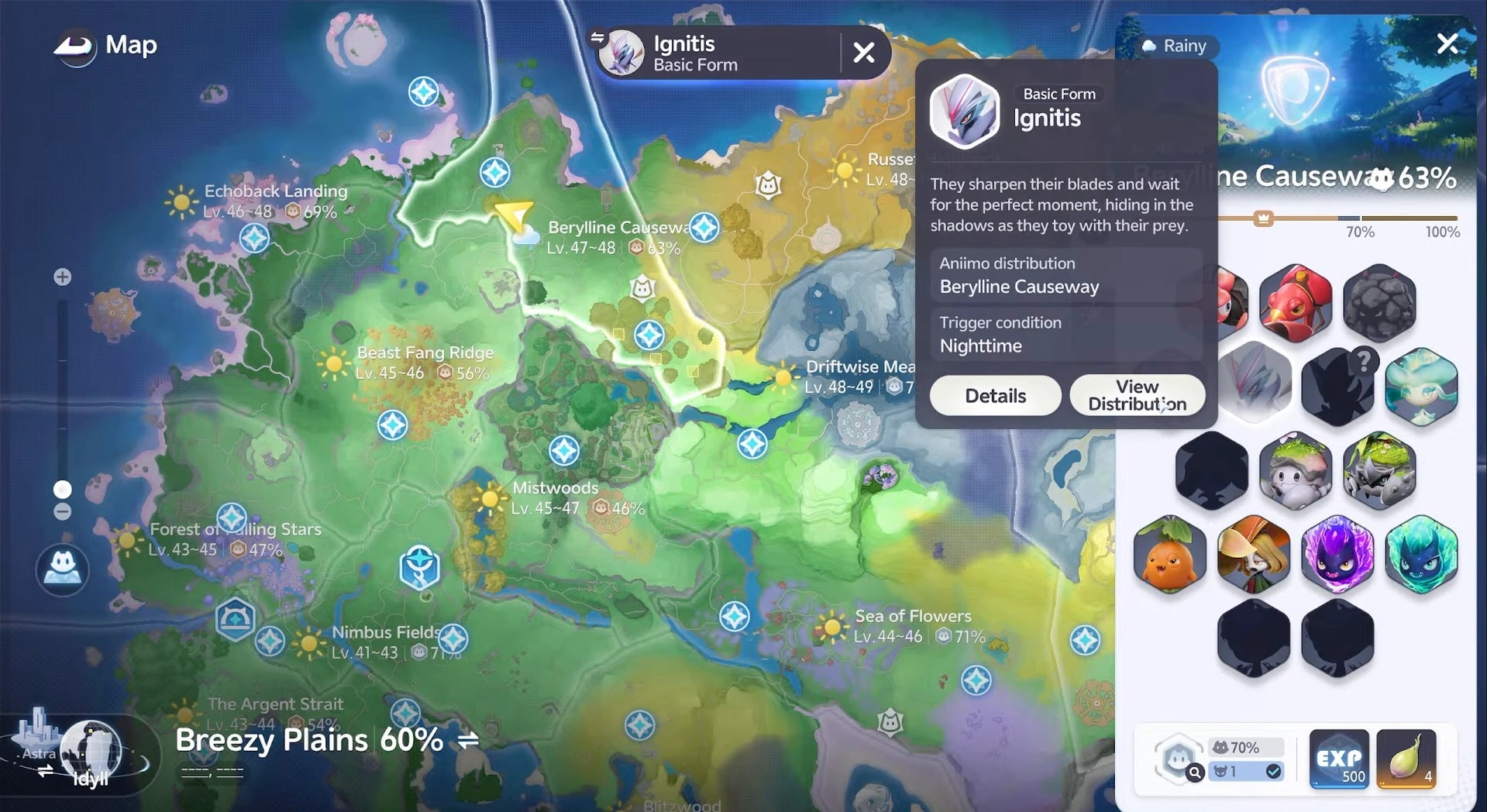
A successful hunt has two layers. The in-game Aniimo card explains which conditions make the species eligible to appear; the AniimoVerse spawn atlas supplies the coordinates. Read the rule first, then choose the shortest group of matching pins instead of wandering through a habitat name.
- 1Search the exact species name
Open the interactive spawn map and enter the species in the search field. Pick the correct atlas if the results cross maps, then select a result to fly to that pin.
- 2Read one marker before travelling
Check its form and any time tag. A nearby pin for the wrong form is not a shortcut, and a night pin searched during the day is only a future stop.
- 3Build a pocket, not a pilgrimage
Choose several close results around one transporter or landmark. A compact loop gives you more field checks for less travel than crossing the whole region for isolated pins.
- 4Match the condition
Set the required time, wait for the named weather, or complete the form-specific trigger before starting the loop. If the card points to a separate system, use the specialist guide linked below.
- 5Sweep and verify
Visit each stop, scan the whole local group and read name labels before moving on. The marker gets you into the right population; the field check identifies the catch.
Read the spawn card before you travel
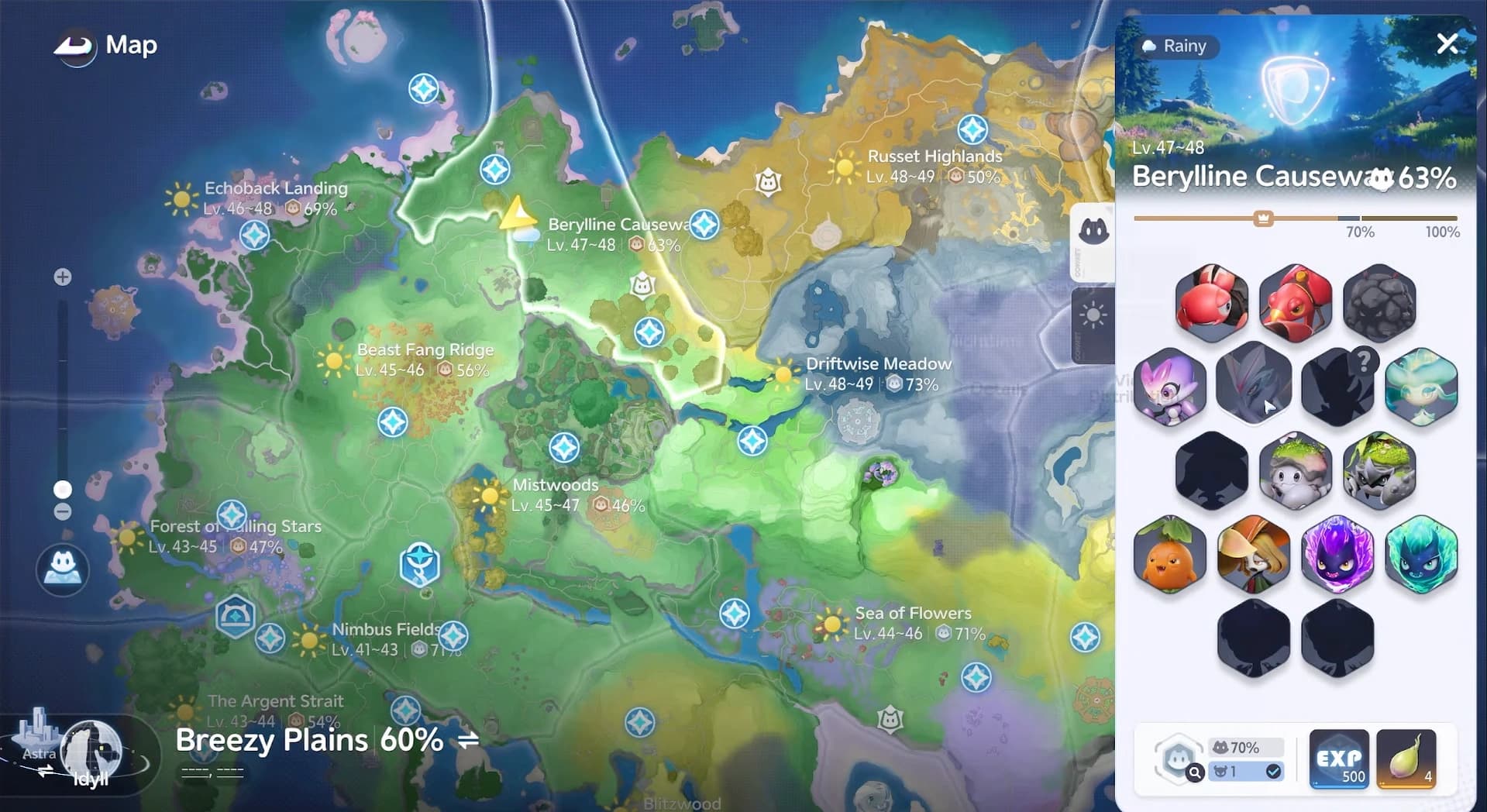
A species result can hide several different hunts. Ignitis, for example, has Basic, Fire, Forest, Highland and Prismana forms. The name alone is therefore not enough: the form label and condition line decide which marker belongs in your route.

One spawn marker
Basic, Forest, Highland or another form
- What it establishes
- Which morphology can appear at that pin
- Before you travel
- Keep only matching form markers; use the regional-forms guide if the trigger is unfamiliar.
Daytime or Nighttime
- What it establishes
- The active spawn window
- Before you travel
- Change the in-game time first, then begin the route.
Rain, thunderstorm or snow
- What it establishes
- A weather-gated population
- Before you travel
- Check the forecast and use the weather guide before travelling.
Prismana Flow
- What it establishes
- A Prismana-form appearance
- Before you travel
- Use the Prismana Flow and Nurture guide, then return to the map for the landing point.
a blank condition
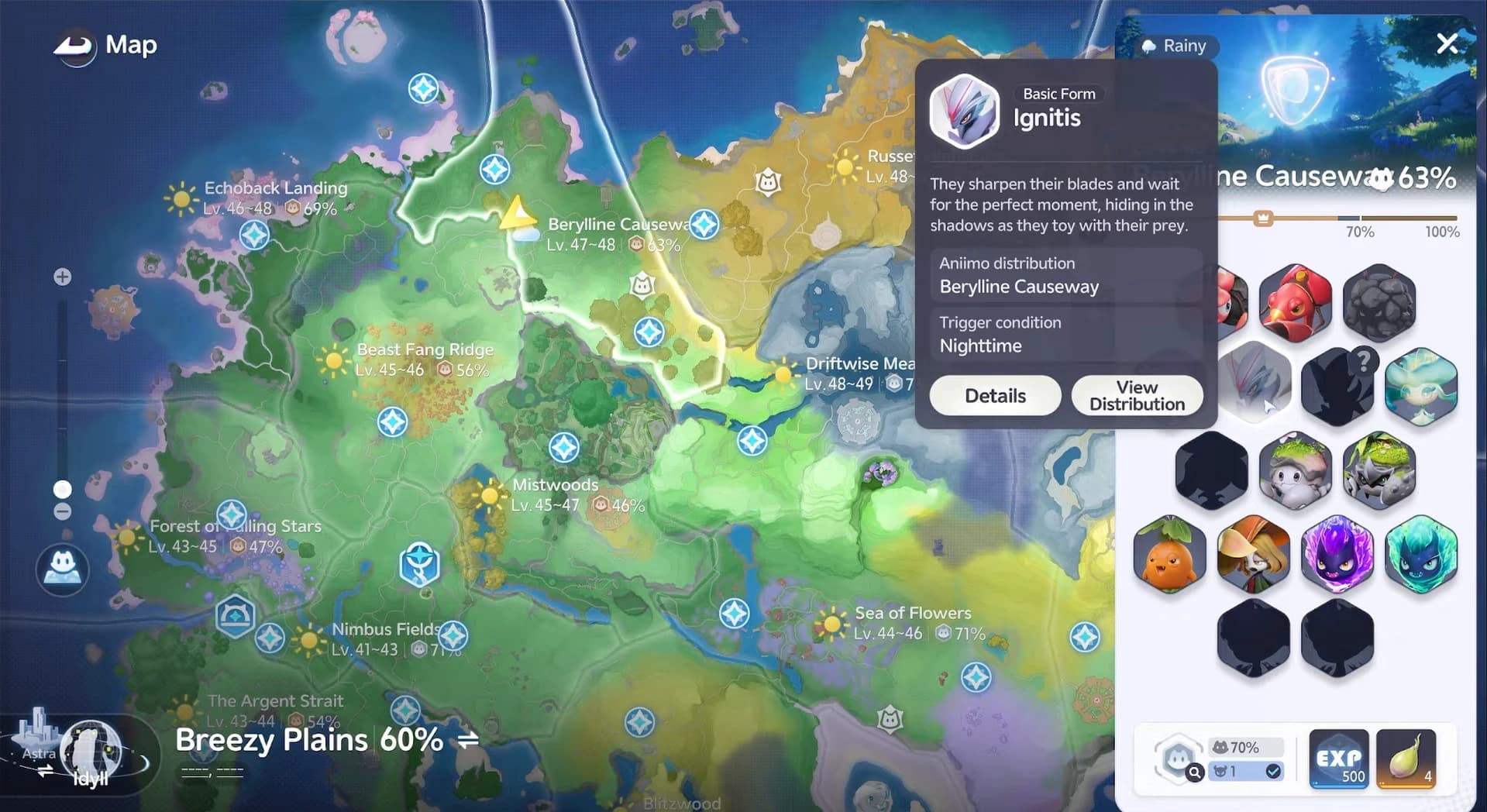
Treat every condition as a pre-flight check. If the form and clock do not match, reaching the correct coordinates will not rescue the route. Weather conditions add another gate, while a blank condition means you can concentrate on the marked area instead of inventing a trigger.
Turn the distribution into a short route
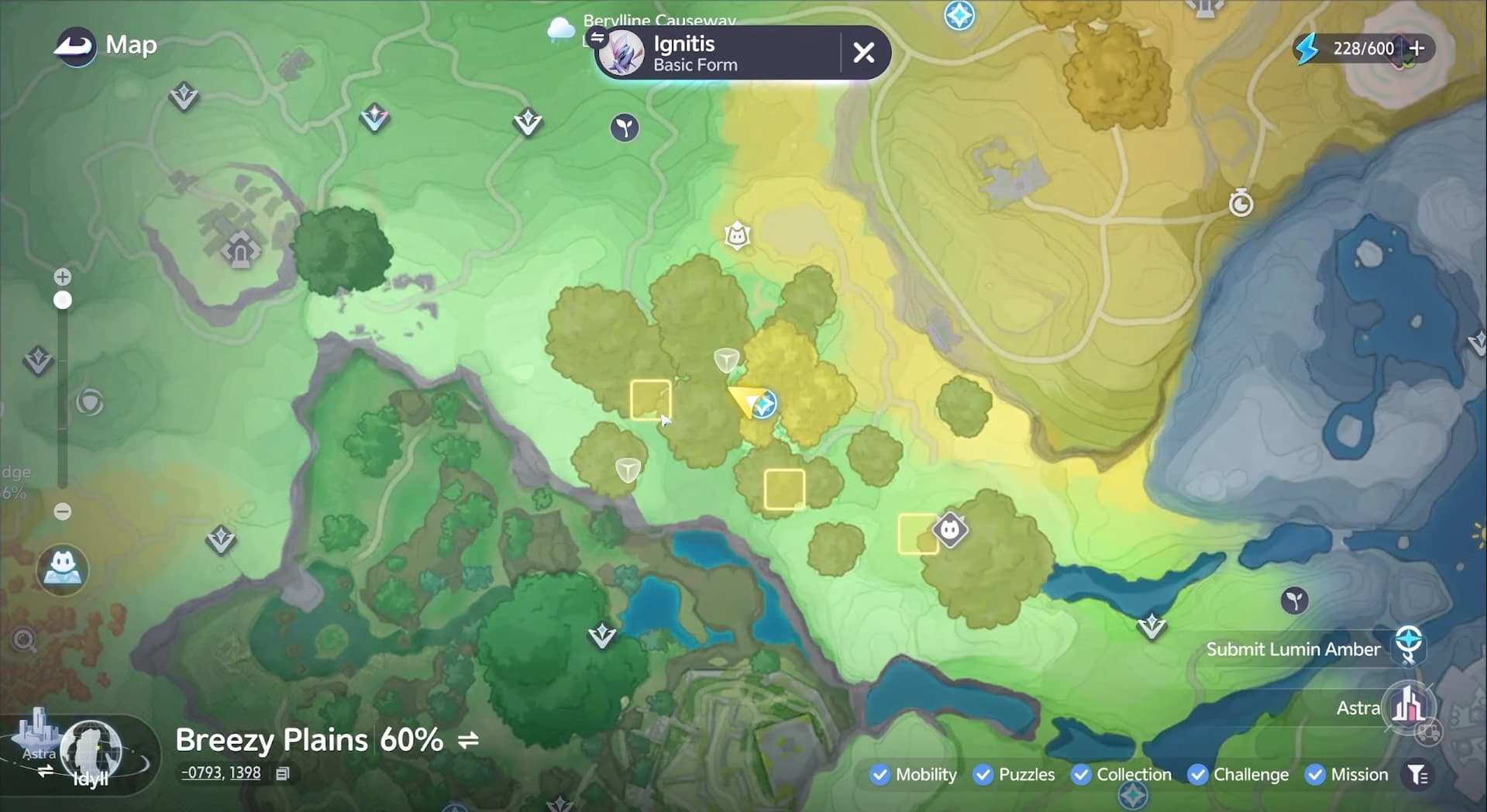
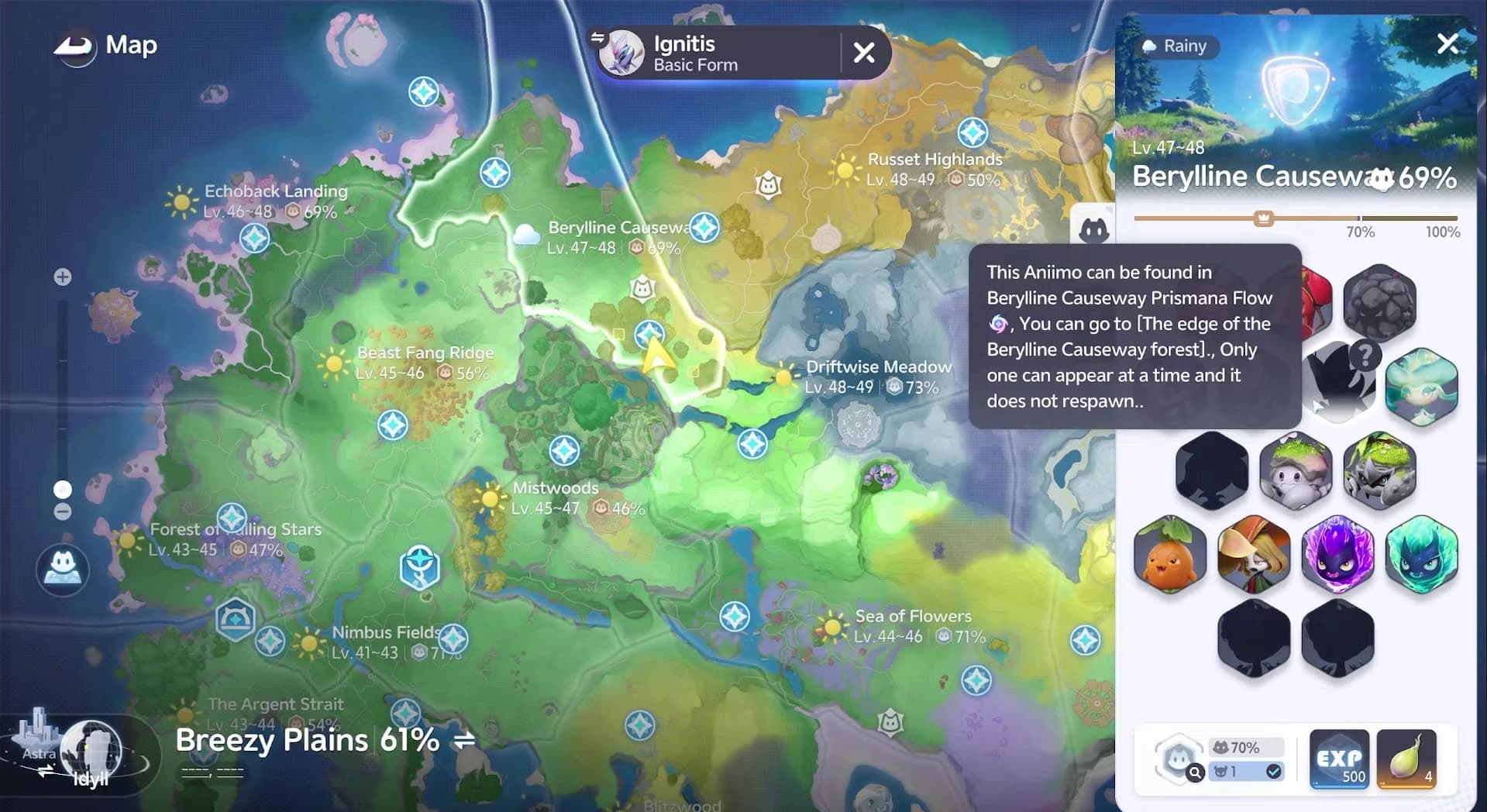
The in-game View Distribution command is the quickest overview: yellow squares reveal the parts of the region worth investigating. Use that view to understand the shape of the habitat, then zoom in on the AniimoVerse atlas for individual spawn pins. The two views answer different questions: one shows the neighborhood, the other shows where to stop.
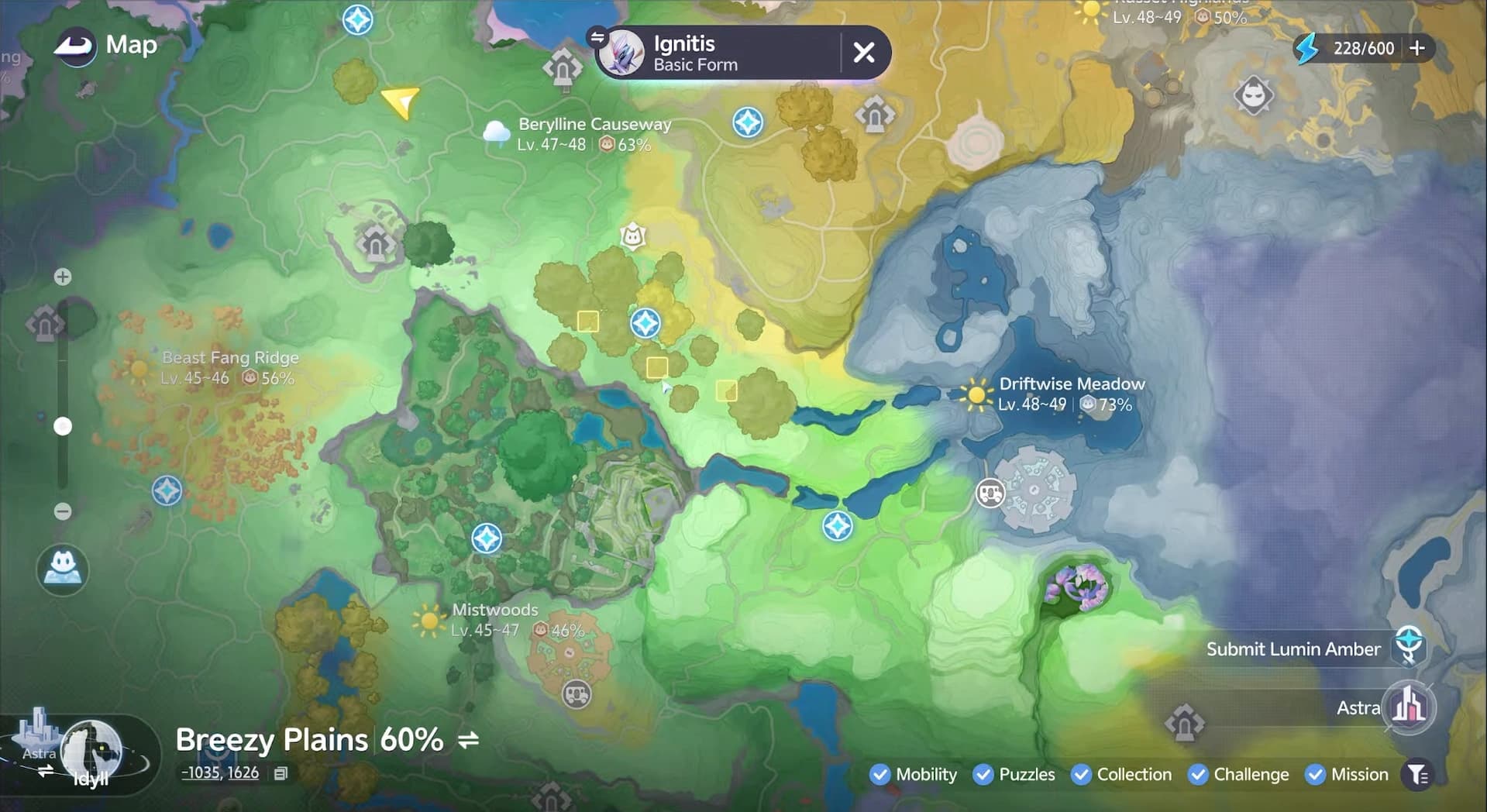
- Anchor the loop at the closest transporter. Travel time between checks matters more than drawing a perfect circle.
- Prefer a dense pocket. Three or four close pins are easier to rescan than the same number scattered across a whole region.
- Keep the required form visible. Similar names can lead you into a valid species marker with the wrong morphology.
- Finish the pocket before relocating. A single empty stop says nothing about the next marked group nearby.
Confirm the target in the field
A spawn marker is a location record, not a pedestal reserved for one creature. Nearby species can share the same patch, and a valid stop may hold a mixed group. Slow down at the pin, pan across the full clearing and use overhead labels to separate the target from the local crowd.
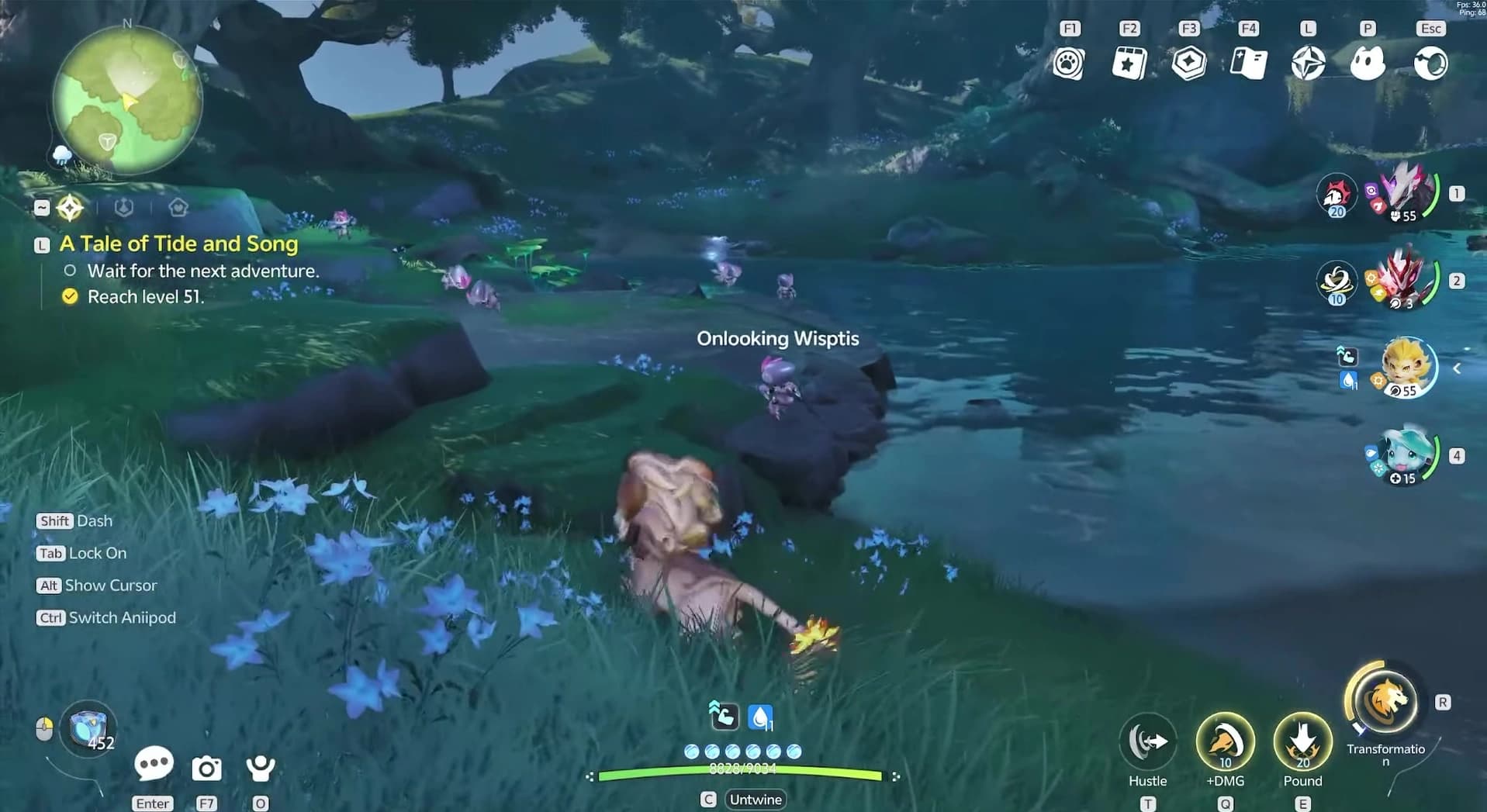
Ignitis needs extra attention because its mobility trait is Cloak: it can enter a cloaked state. Look for its label and movement instead of relying only on a bright silhouette. If one marker is quiet, complete the nearby pocket; the demonstrated hunt found no target at its first stop and then found an Ignitis in the next cluster.
Worked example: find a Basic Ignitis
The Basic Ignitis hunt demonstrates the whole method without a rare-system detour. Its official habitat is Berylline Vale, the distribution card adds Nighttime, and the atlas turns that pair into a route.
- 1Confirm the requested form
Open Ignitis in the in-game roster and select Basic Form. Do not carry a Fire, Forest, Highland or Prismana condition into this search.
- 2Set Nighttime
The card names Nighttime as the Basic form’s trigger. Change the clock before using a travel point so every stop on the loop is eligible.
- 3Search the atlas
Enter Ignitis on the spawn map, open a Berylline Vale result and keep the Basic/night markers that form the shortest nearby pocket.
- 4Scan the complete group
At each pin, read labels and watch for a cloaked target. Move to the next nearby marker only after checking the whole patch.
- 5Verify before catching
Make sure the encountered creature is the Basic form you routed for. The same species name can belong to a different form elsewhere in the atlas.
That five-step loop (form, condition, cluster, field scan, verification) works for every ordinary species in the current atlas. Only the condition-specific middle step changes.

Know when another guide takes over
The spawn map should remain the coordinate layer. It does not need to repeat the full mechanics for every rare form or weather state. When a card names one of these systems, solve that gate in its dedicated guide and return to the atlas only when you are ready to choose the landing point.
One spawn marker
Prismana Flow or Nurture
- What that guide covers
- Flow weather, Area Badges, Prismatic Energy and the guaranteed Nurture route.
- Where to solve it
- Open the Prismana Flow and Nurture guide.
Rain, thunderstorm or snow
- What that guide covers
- Forecast cards, natural weather windows and Branch intervention.
- Where to solve it
- Open the Weather and forecasts guide.
Forest, Highland or another morphology
- What that guide covers
- How habitat-driven forms differ and which one a marker represents.
- Where to solve it
- Open the Regional forms guide.
A Sparkling version of a species
- What that guide covers
- How to detect and secure the rare variant after routing the base species.
- Where to solve it
- Open the Sparkling hunting guide.
A species you are routing because you want to build it
- What that guide covers
- Which skills, Held Item and teammates the catch is for.
A marker that only appears once the story has moved
- What that guide covers
- A chapter has to advance before the spawn exists at all.
- Where to solve it
- Check the chapter first. The Sea of Flowers Pomegg is the clearest case, and Journey to Bloomville is where that stretch begins.
Frequently asked
How do I find a specific Aniimo spawn?
Search the exact species name on the interactive spawn map, open a marker with the correct form and time tags, and route several nearby pins from one travel point. Match any required time or weather before checking the cluster.
Why is the Aniimo not at the map marker?
First confirm that the marker’s form, time and weather match the current hunt. A valid marker can still sit inside a mixed or temporarily empty field group, so scan the whole patch and finish the nearby pocket before changing conditions.
Does the map show regional and weather forms?
Yes. Creature markers can carry form and time tags, while region data records weather populations. Use the regional-forms guide or weather guide to solve the condition, then return to the map for coordinates.